
UNIVERSE META · CODM
Find teammates for Call of Duty: Mobile
A good CODM squad starts with shared expectations. Universe Meta helps players discover one another, build a player profile and connect around Multiplayer, Battle Royale and community matches.
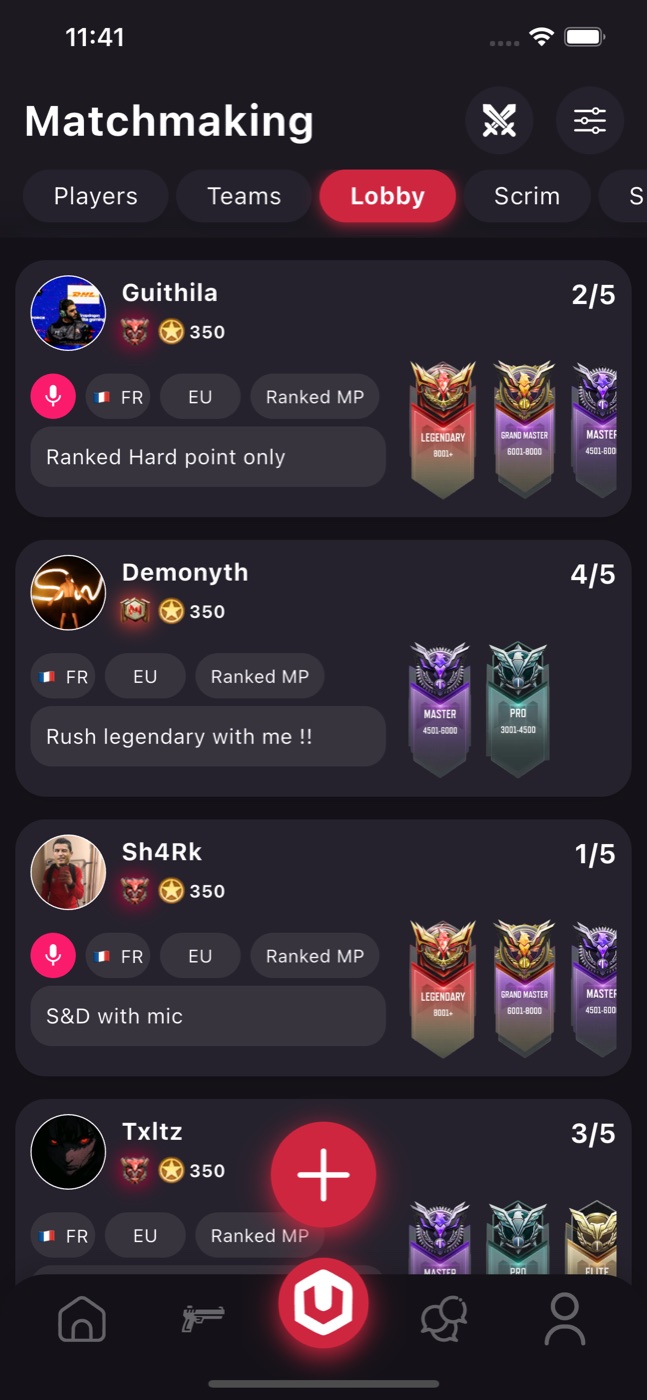
Choose your mode and your goal
Start by deciding whether you want Multiplayer, Battle Royale, a private match or a scrim. A relaxed session and a ranked session can need very different teammates. Say what you want to play before sending an invitation, and check that everyone is looking for the same kind of game.
Describe your preferred roles and the kind of teamwork you enjoy. Someone learning a map may need a patient squad, while an established team may be practising a particular strategy. A clear introduction helps both sides decide whether a session is a good fit.
Make language, region and availability clear
Add your communication language, usual playing times and relevant region to your introduction. Time zones and connection quality can matter as much as rank. Share the information needed to arrange a game without publishing private contact details.
Use your Universe Meta profile to introduce your favourite modes and play style. Browse the community and contact players whose interests fit yours. Agree on the session details together; a profile or invitation does not guarantee that a player is currently online.
Build a squad that lasts
After a match, discuss what worked and what you want to practise next. Keeping a small group of compatible players can make future sessions easier to organise than starting from scratch each time. Be clear about voice chat, timing and expectations before the next match.
Keep conversations respectful, follow the game and community rules, and use the reporting tools available in the service if something goes wrong. Universe Meta is an independent community app, not an official matchmaking service operated by Activision.